GRO
My own personal-growth app: a calm space with no metric panels and no pressure of progress measured in percentages. Designed and built with AI, a product and an experiment with the tools at once.
View the app ↗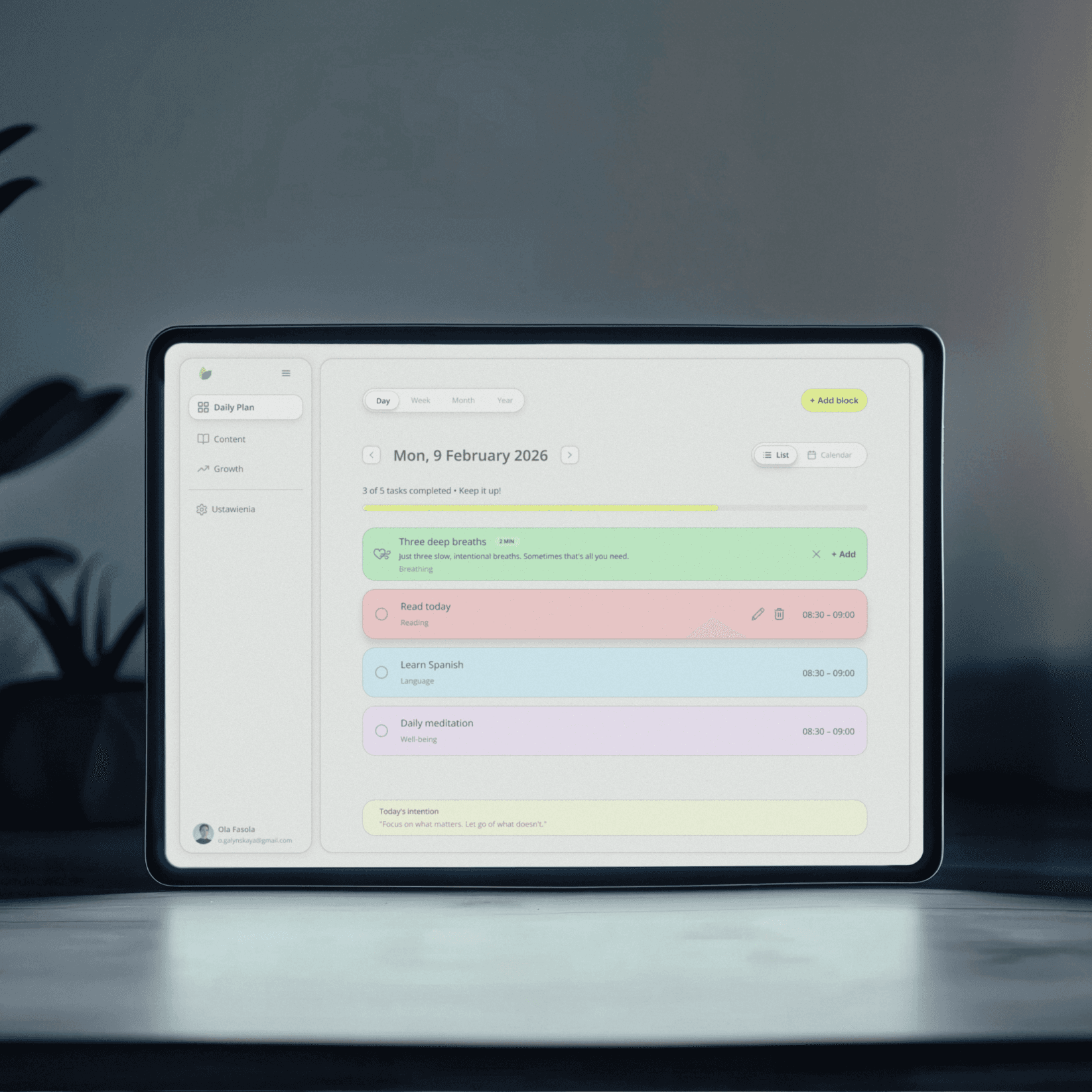
- Title
- GRO - a personal-growth app of my own
- Industry
- Productivity / Personal Development, B2C
- Role
- Product Design, building with AI
- Tools
- Figma, Lovable, ChatGPT, Claude, Claude Code
- Date
- 2025 – 2026
Where it came from
I wanted something light.
It simply didn't exist.
I kept my goals in a notebook or in my head. A notebook doesn't let you see progress: you can write down what you want to achieve, but you can't tell whether anything is actually moving toward it. The head is even worse. Goals with no place to live simply get lost or stay at the level of a vague “someday”.
I tried Notion. It has everything: databases, views, templates, relations between tables. To actually start working with goals, you first have to spend a few hours building the structure. Then a few more tweaking it. An app meant to help me grow became a project to manage in itself.
I was looking for something light, something that doesn't impose a way of working and doesn't stress you with metric panels, but lets you plan concrete actions for each day and see how those actions translate into progress on goals. An app that talks about small steps you can take every day, not about what percentage of a goal is done. I couldn't find one. So I built my own.
Role
Four roles in one person
On most projects these roles belong to different people. On GRO all four were mine, which changed how decisions were made: no handing the topic over, no waiting for someone else's sign-off, full ownership of every choice.
Analyst
I started with an analytical document: vision, mental model, an analysis of the productivity-app market and a competitor comparison. Before the first screen existed, I knew what problem I was solving and how GRO should differ from what's already out there.
Product Owner
I defined the scope and kept it in check. Every feature had to earn its place, and cutting metric panels, streaks or gamification were product decisions backed by a reason, not a matter of taste.
Designer
The color system, information architecture, flows and the way the product guides you through the day. This is where decisions about how GRO speaks to the user were made.
First user
I've used GRO daily since January 2026. I'm the only tester, but a relentless, non-stop one: a feature that didn't hold up in a real day dropped out faster than in any client process.
Problem
The productivity-app market
The market offers dozens of feature-packed tools full of dashboards and notifications. The problem is that instead of organizing your thoughts, they generate new cognitive chaos. Knowledge workers switch between apps over 1,200 times a day and lose up to 4 hours a week just on context switching. After each interruption it takes 23 minutes on average to get back to full focus.
The abandonment pattern
enthusiasm at the start → weeks of configuring the system → fatigue from maintaining the tool → back to the notebook
Specific problems with the tools I tested
→Notion
Has a learning curve that takes weeks. 18% of 5,700+ G2 reviews name it as the main drawback. The tool encourages an obsession with optimizing views, templates and databases. Users spend more time configuring the system than on the work it was meant to serve.
→Obsidian
A powerful tool for people who like building their own systems. Its 2,500 plugins are both its strength and its trap: keeping a working vault running becomes a project in itself.
→Todoist and Things 3
Great for task management, but narrow. Everything has to be a task. There's no room for long-term goals, knowledge or recovery.
→Goal-tracking apps
Strides, Goalify, Habi each cover a single area. They don't plan your day or handle knowledge. You still end up assembling a system from several tools and paying the cost of switching between them.
None of these tools combined long-term goals, operational planning and intentional knowledge consumption at once. That's why GRO was built.
Information architecture
Goals are the backbone
GRO has four modules, but they don't sit side by side like tabs. Goals are the backbone. Blocks in Daily Plan and content in Content are assigned to specific goals, and completing them feeds the goal's progress. Well-being sits to the side and is always optional.
Why
Growth · Goals
direction of growth and progress
↑ completed blocks feed goal progress
↑ content assigned to a goal
What & when
Daily Plan · blocks
activity type + assigned goal
How
Content · knowledge
sources assigned to a goal
Well-being · recovery. The “How” layer, always optional, off to the side of the flow.
A goal's progress isn't a declaration. It comes from what was actually planned and checked off in the daily plan.
Product and philosophy
Three layers, one direction
The app rests on three layers, but they're not equal. Goals come first. Daily planning and the content module are subordinate to what the user wants to achieve, not the other way around.
Why
Growth
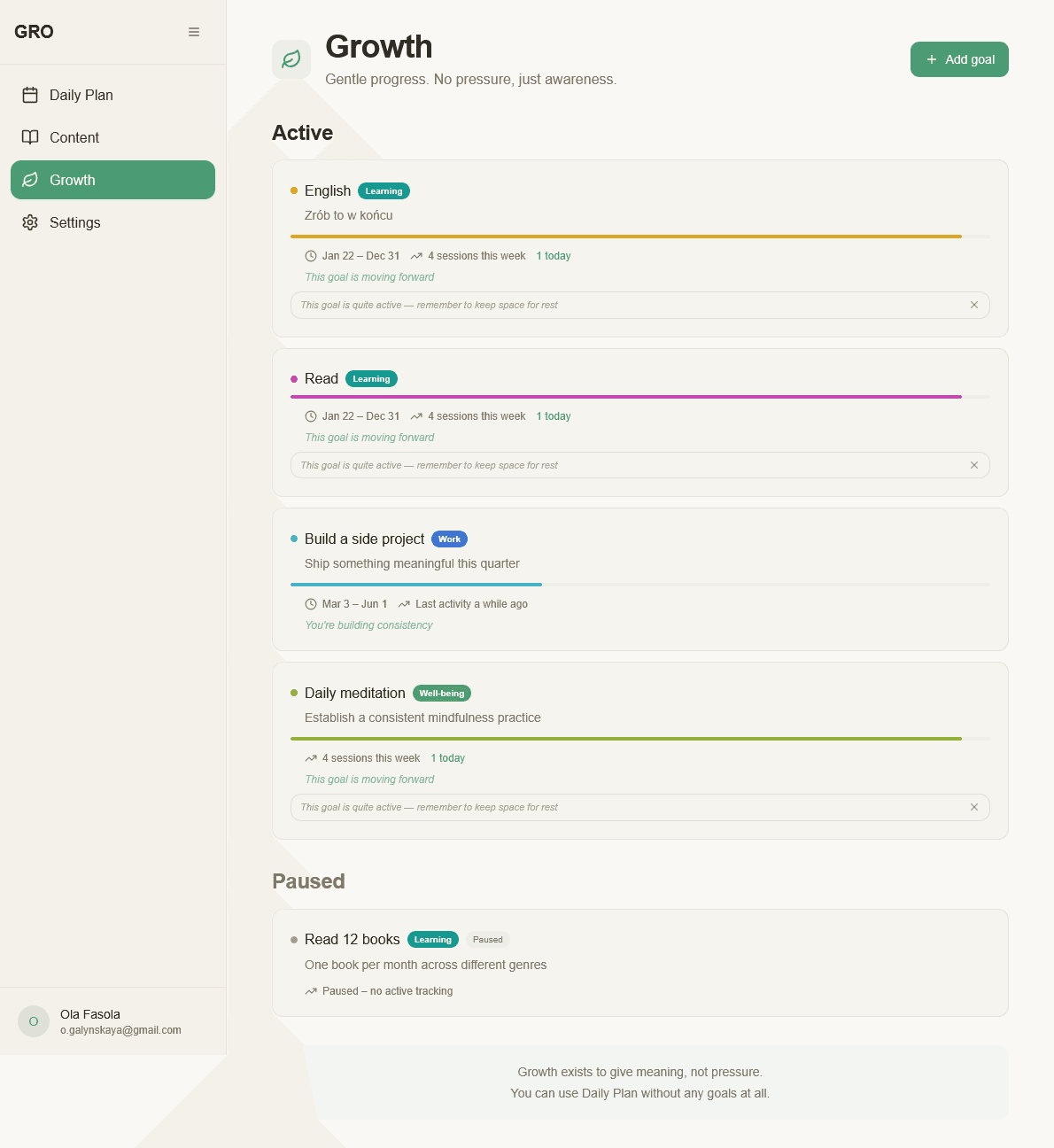
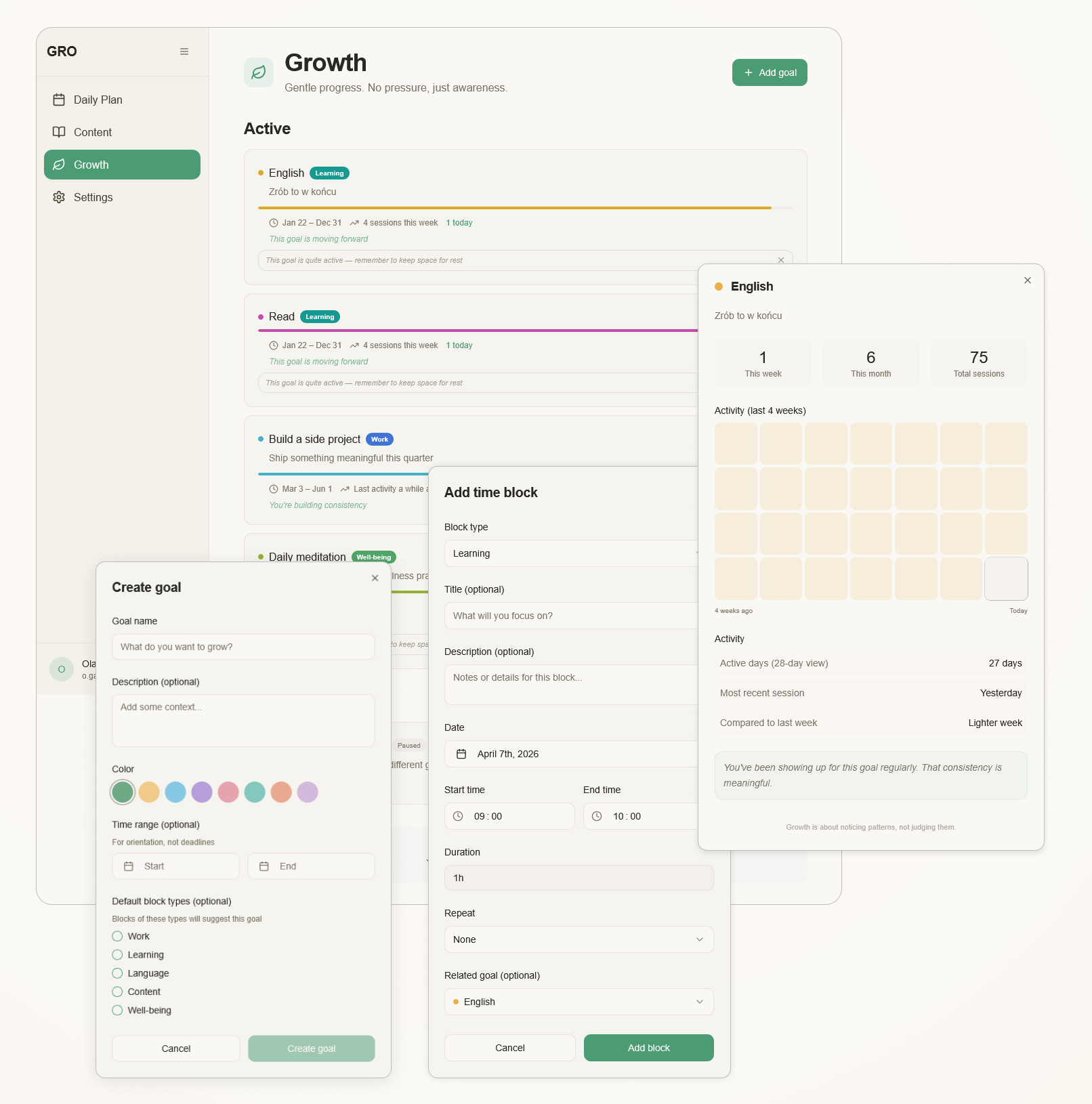
The place to define your direction of growth. Each goal has a name, a description and a color the user picks. Big goals can be broken into concrete steps, which keeps them from staying mere declarations. Progress is counted automatically from blocks completed in the daily plan. You don't have to judge whether it's “going”. You see it through what has actually been done.
What & when
Daily Plan
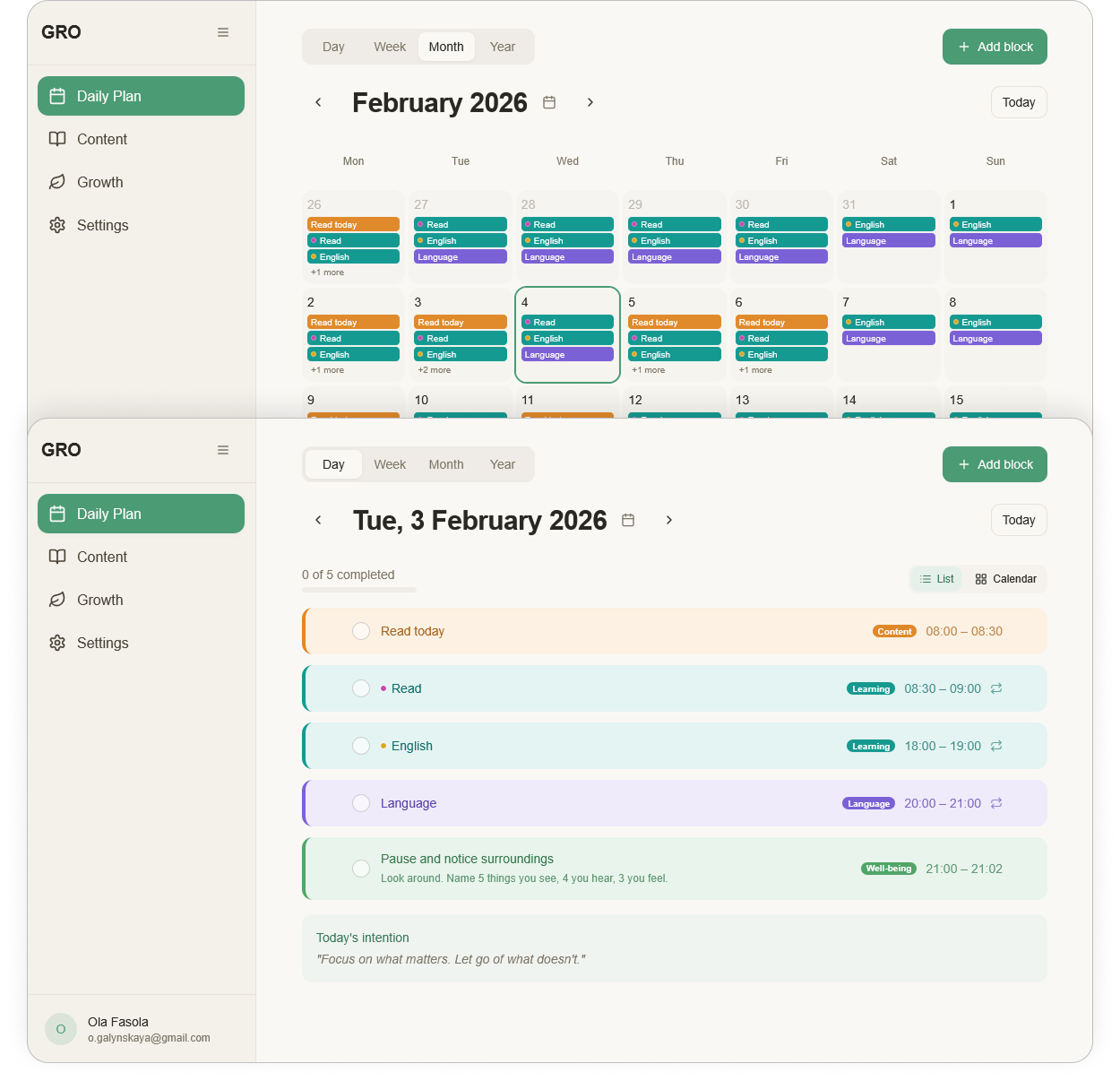
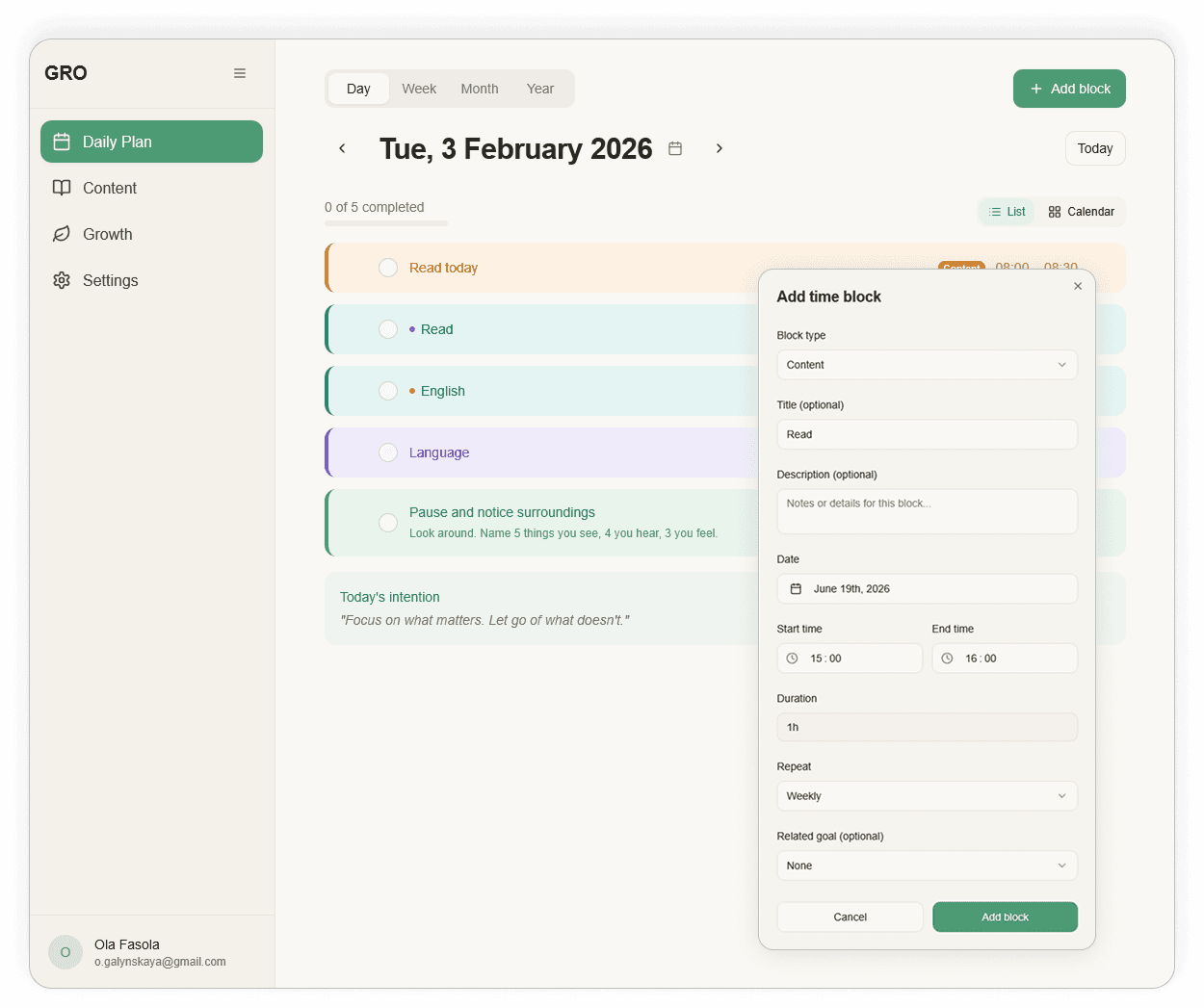
Planning for each day, week, month, year, for whatever span you need. Each block has a type and can be assigned to a specific goal. Blocks can repeat in any pattern. So with every planned action you see not just what you're doing, but why, and how it connects to what matters long-term.
How
Content
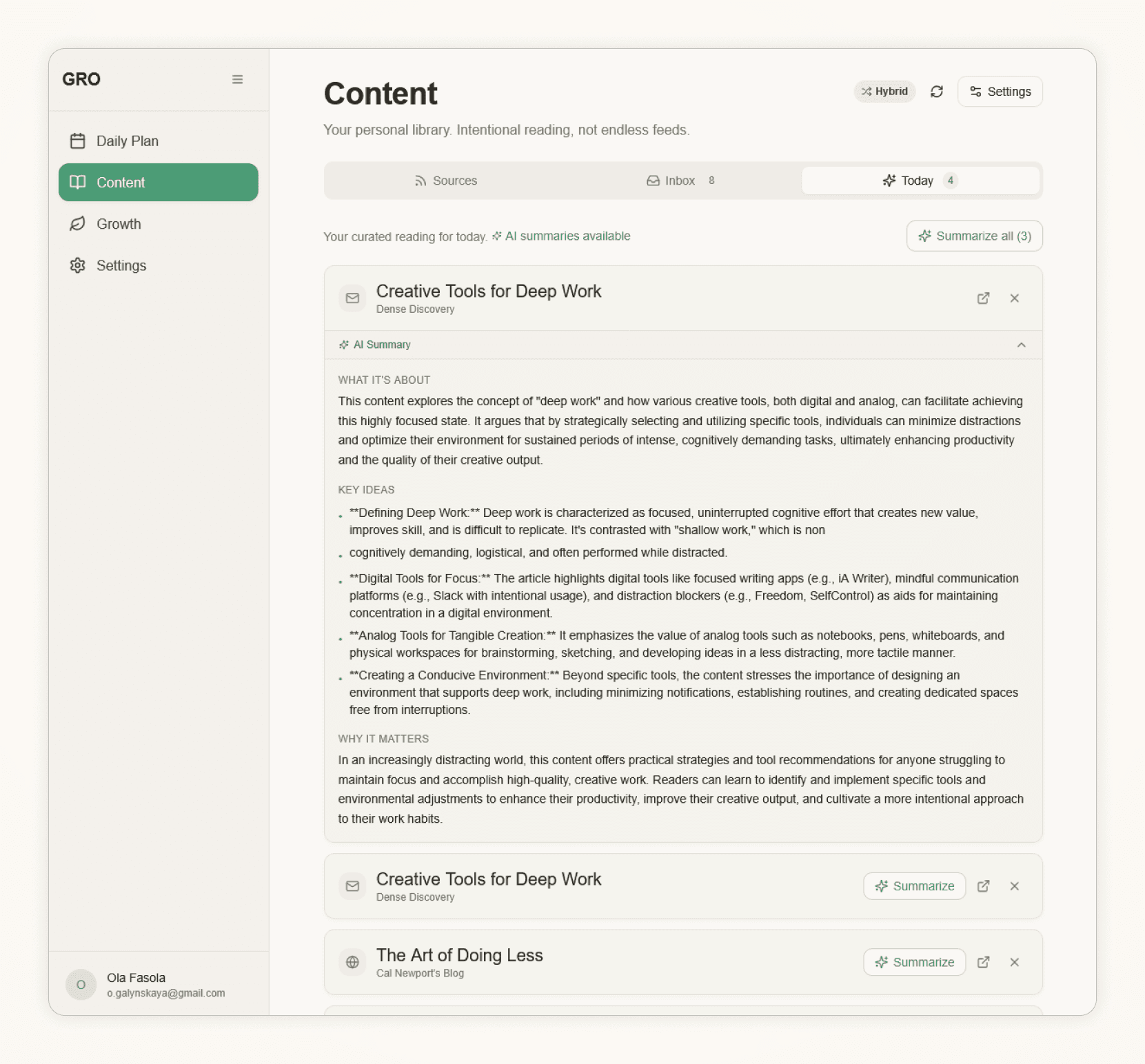
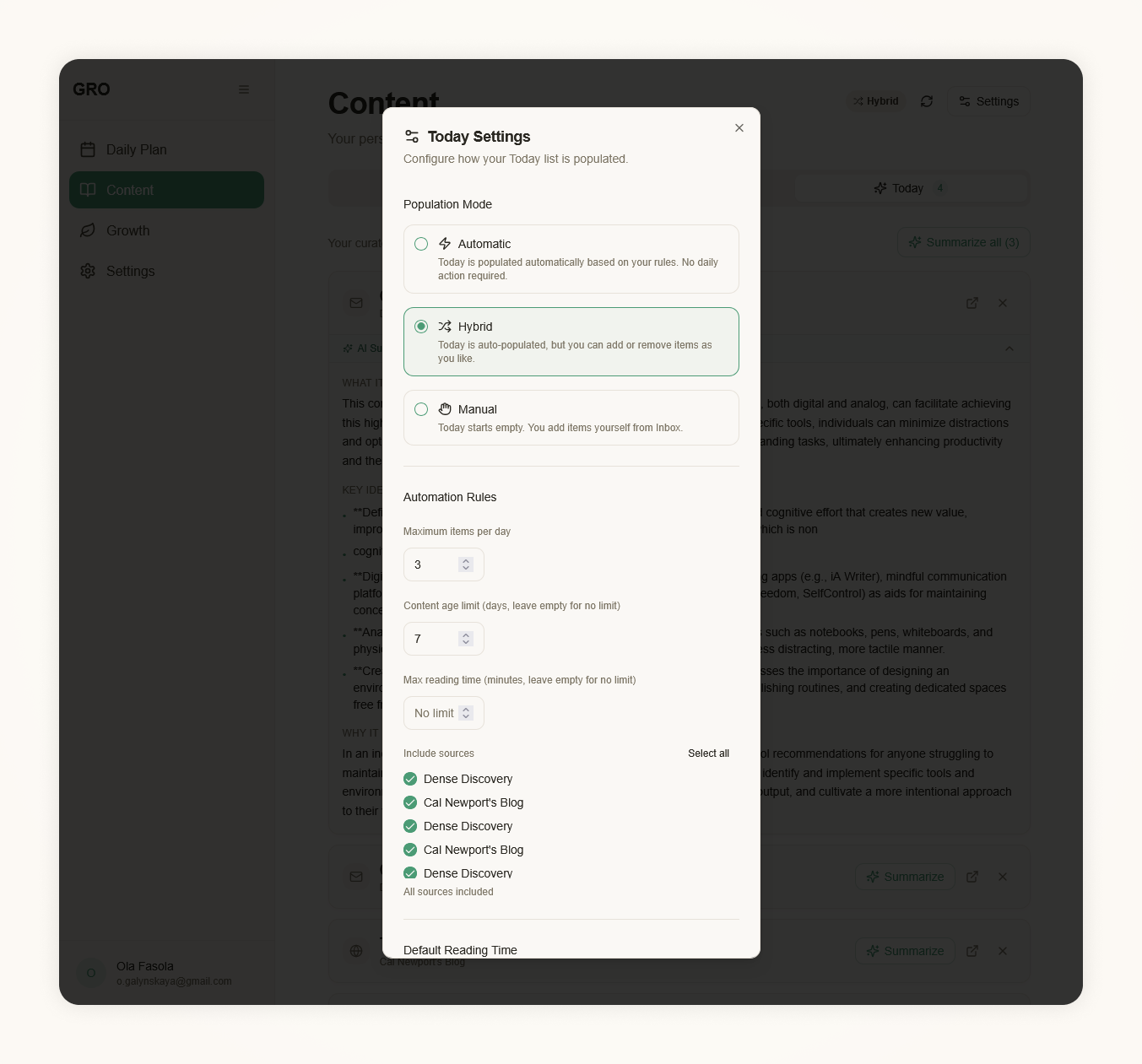
The content module isn't a separate library to browse. Articles and sources are here because they help with specific goals, which changes your relationship with reading. Instead of an endless queue to clear, there's the knowledge you need here and now. Articles you don't have time for, AI summarizes. You can read the summary and come back to the full version another time.
How
Well-being
Your own recovery practices: breathing, a walk, anything. You can add them to the plan, but it's always a choice. Well-being is always opt-in and never becomes another obligation with guilt over unlogged activities.
Product scope
What's deliberately missing
The hardest part of designing GRO wasn't what to add, but what not to add. The market shows it's exactly the excess of features that kills these apps. Every feature that didn't make it into the product was considered and rejected for a concrete reason.
Feature
Decision
Why
Metric panels and percentages
Out of scope
They stress you with their very structure. Progress should be visible through completed blocks, not a percentage to tick off.
Streaks
Out of scope
One day's break wipes the streak and leaves guilt. It discourages instead of motivating.
Gamification (points, badges)
Out of scope
Personal growth isn't a game. Rewards shift attention from the goal to collecting points.
Social features
Out of scope
GRO is personal. Comparison with others is exactly the pressure I'm avoiding.
Overdue notifications
Out of scope
The app shouldn't fight for attention or remind you of debts to catch up on.
Well-being as a fixed module
Opt-in
Recovery under compulsion stops being recovery.
What's left fits in one sentence: goals, a daily plan tied to goals, knowledge for those goals, and recovery on your own terms.
Key design decisions
What I decided and why
No metric panels
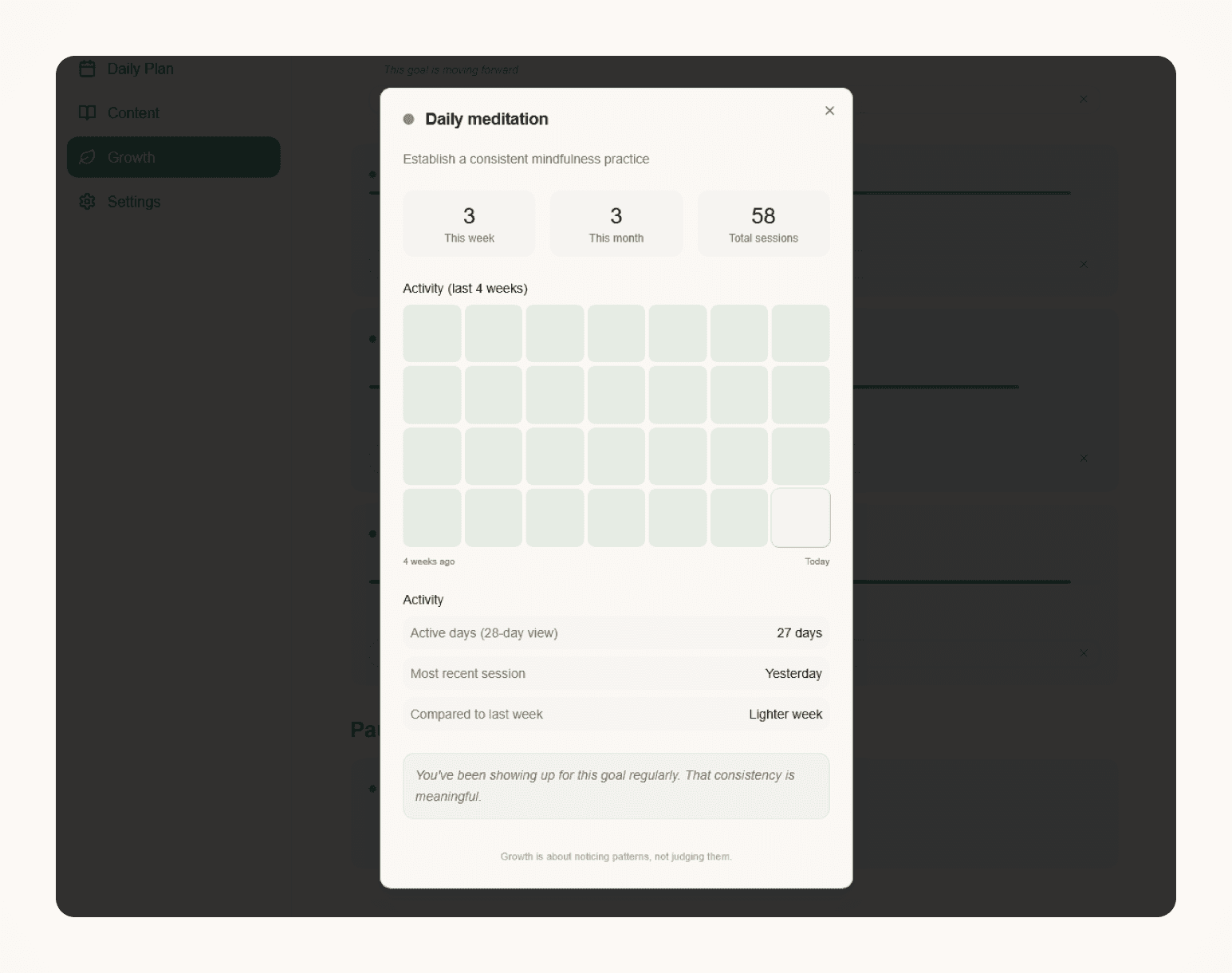
It was a deliberate design decision. Productivity apps often stress the user with their structure: completion percentages, streaks that vanish after a single day's break, red alerts about missing activities. In GRO, progress is visible through what was planned and actually done, without comparing against a set daily target.
Content tied to goals
The content module could have worked like a general library: a list of articles to read, sources to browse, a content feed with no specific context. I decided that's not the point. When you add an article or a source, you assign it to a specific goal. If you're working on professional growth, content from that area shows up next to that goal, not in a separate pile to review some other time. Knowledge has a place where it belongs, and it's available where it's needed.
Well-being always opt-in
Recovery practices don't appear as an obligation, don't generate alerts when they're not done, and don't break any streak. The user adds them to the plan when they want, or doesn't use them at all.
Flow
A day with GRO
Every block in the daily plan is linked to a specific goal, so as you plan your day you immediately see how individual actions add up to a broader direction.
Morning
I open the day view. I see blocks planned from the previous day or week, each with a type and an assigned goal. If something new comes up, I add a block and assign it to a goal right away. Content planned for today is in a separate section. I can read an article or the AI summary if I'm short on time.
During the day
I check off completed blocks. Goal progress updates automatically. There's nothing to count or type in. I add a recovery practice if I want to, not because the system asks whether I did it.
Weekly / monthly
The week view shows how blocks are distributed, so you immediately see whether time is going to what matters or getting lost elsewhere. The month and year views give perspective on long-term goals and blocks that repeat on a schedule.
What changed
Goals became clearer. Progress on them grew, because I can plan for each day, each month, each year, for whatever span I need. The context of small, visible steps works better than a vague “I have a goal somewhere in my head”.
Process
Building with AI
GRO was built without traditional mockups. Instead of designing screens and handing them off, I built a working product right away, with AI tools at every stage.
- 1
Analytical document
A full functional spec as the single source of truth: vision, mental model, market benchmark and a step-by-step description of every module. I ran the analysis itself with Claude: organizing conclusions, challenging assumptions, naming the problem more sharply. The problem and GRO's positioning were defined before the first screen existed.
- 2
Mental model
Three layers: Why (Growth), What & when (Daily Plan), How (Content and Well-being). A clear hierarchy: goals first, the rest serves them.
- 3
Scope and decisions
Setting the MVP scope: which features are in, which deliberately drop out and why. The hardest decisions were about what not to build, so the product would stay calm.
- 4
Data architecture
Supabase and the goal ↔ block relation as the foundation. It's what lets progress be counted from completed blocks, not from declarations.
- 5
Build in Lovable
Quickly standing up a working app: logic, flow, database. Here design and implementation happen together, without separate mockups: visual decisions are made while building. A real-world check of whether the information architecture holds up.
- 6
Testing on myself
Daily use since January 2026. The best filter: a feature that doesn't work in a real day drops out. That's how the biggest fix came about: I built the color system, used it, and redesigned it when it turned out goal colors were being confused with type colors.
- 7
Migration to Claude Code
The next stage of the experiment: working with components from Figma and refining the visual layer.
Lovable proved itself at quickly building a working product, but it has a limit: it can't do polished components and doesn't connect with Figma in a way that lets you design and build at once. That's why the next step is Claude Code, where you can take what was designed in Figma and work with it directly.
This contact with the AI ecosystem and no-code tools directly shapes my everyday design work. You talk to developers differently once you've been through building a product from the inside yourself.
Takeaways
What this project taught me
Goals became clearer. Progress on them grew, because I can plan for each day, each month, each year, for whatever span I need. The context of small, visible steps works better for me than a vague “I have a goal”.
From a tooling perspective: Lovable let me quickly build a working product and validate the architecture in practice. It also showed where the limits of this approach are: in component quality and in integration with the design process. Claude Code is the next test in the same experiment.
Designing GRO for myself, I had one point of reference: whether, after opening the app, I feel calm and know what to do, or feel pressure and search for where to start. The latter meant something needed to change.